In this article
Planning a mobile app for your business means making several decisions early: which platforms to target, which approach to build with, which features to include and who should build and maintain it. This guide covers the essentials so you can plan the right solution for your project.
Key takeaways
- Mobile app development services cover planning, design, development, testing and maintenance.
- Native and cross-platform development suit different performance needs, budgets and maintenance plans.
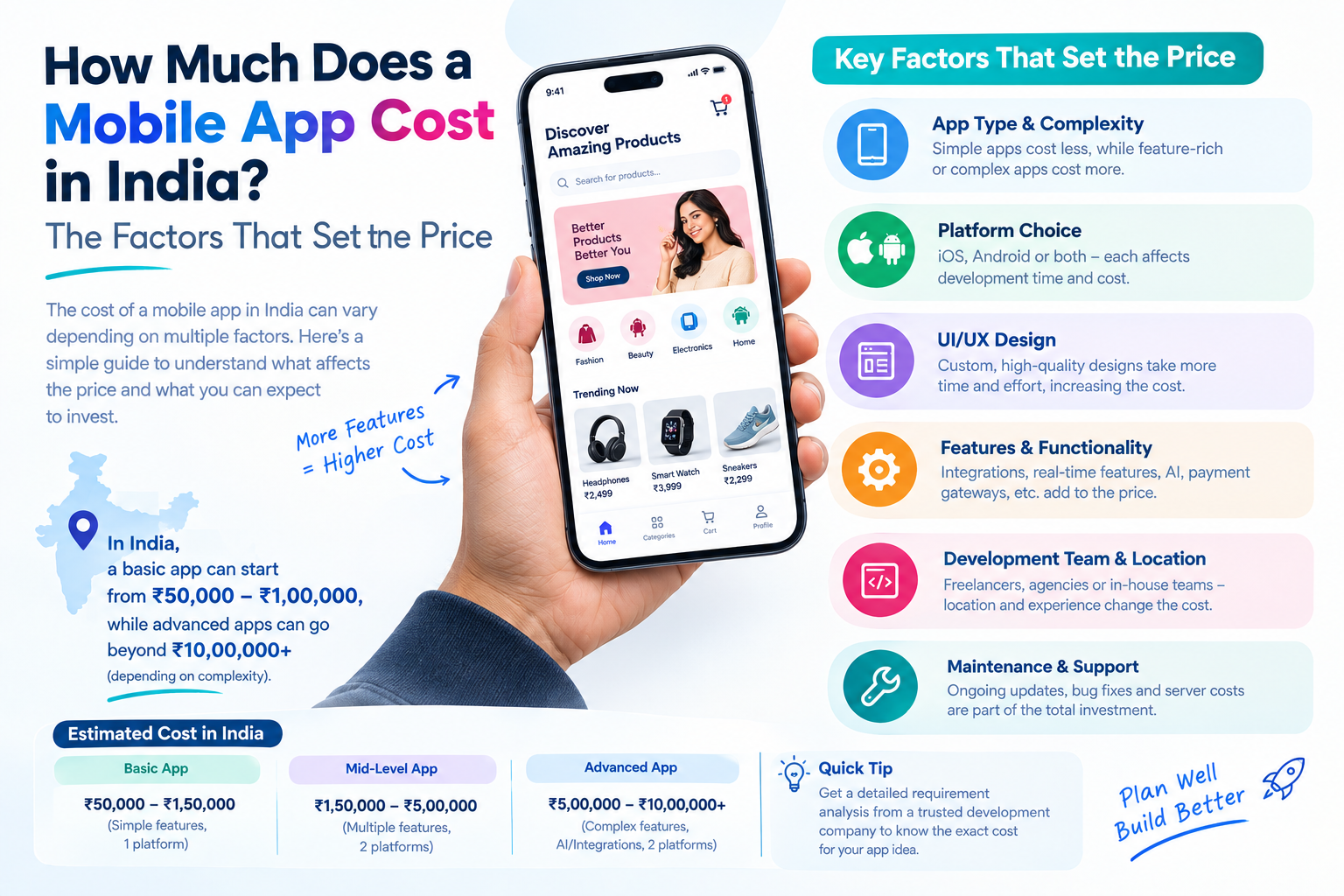
- Indicative budgets in India run from about ₹2,50,000 for a simple app to ₹40,00,000 or more for a complex one.
- Plan for maintenance after launch: roughly 15 to 20 percent of the build cost per year.
What mobile application development services include
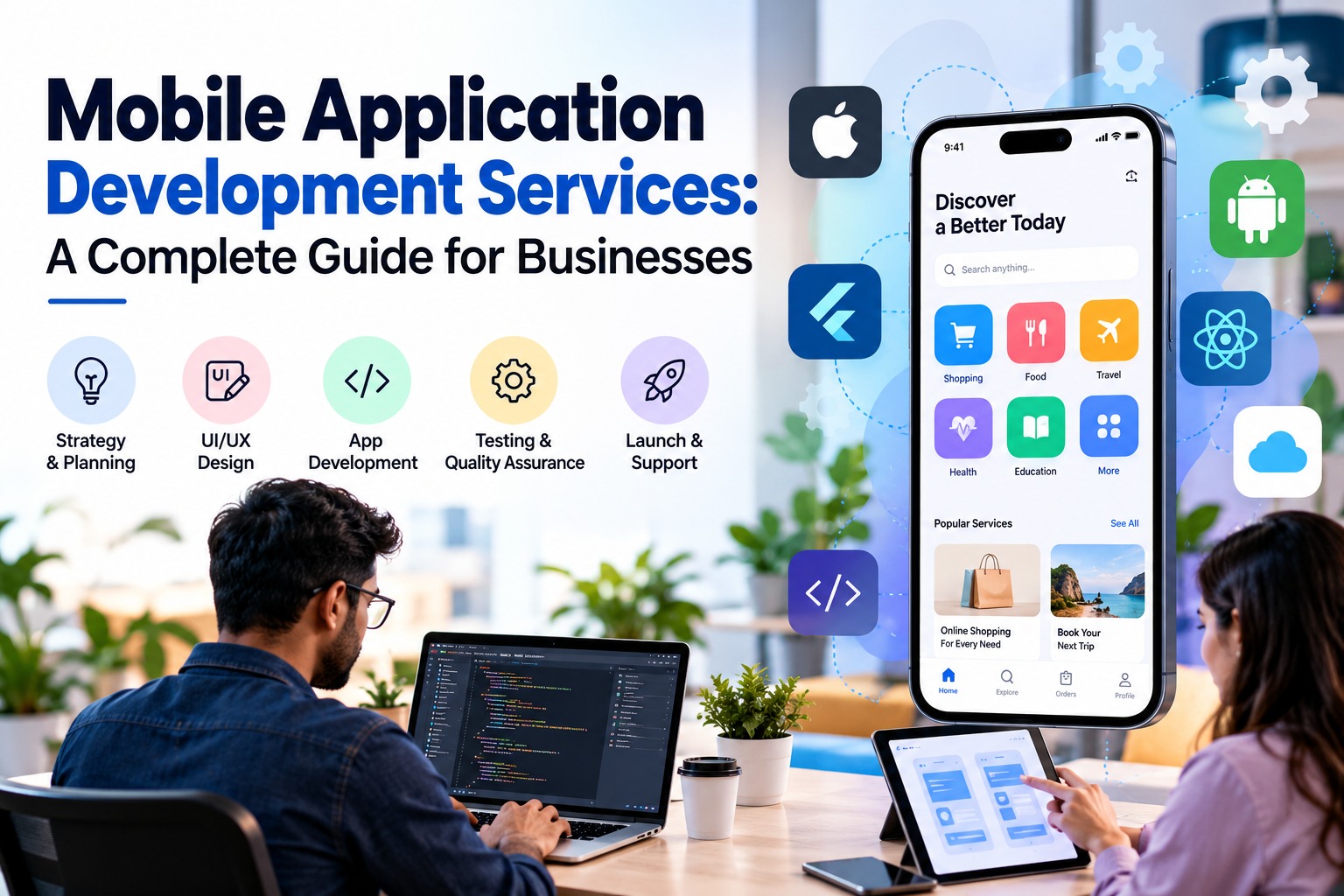
Mobile application development services cover the full life of an app on smartphones and tablets: planning, designing, developing, testing and maintaining it.
- Android apps and iOS apps
- Cross-platform applications
- UI/UX design
- API integration
- Ongoing technical support
Types of mobile apps businesses build
Before choosing technology, it helps to name the kind of app you need. Most business apps fall into a few groups:
- Customer-facing apps: loyalty, ordering, booking, account and support apps that keep customers engaged between visits.
- E-commerce and marketplace apps: catalogues, carts, payments and order tracking on a phone.
- On-demand and service apps: booking, delivery or scheduling flows that rely on notifications and location.
- Internal and field-team apps: tools for staff, such as schedules, checklists, inspections or approvals, sometimes used with a weak connection.
- Content and community apps: articles, audio, video or member areas for a focused audience.
Knowing the group tells you which features are essential, who the users are and how often they will open the app. An app people use every day needs more care over speed and notifications than one they open once a month.
Native vs cross-platform development
This is the first technical decision on most projects, and it shapes the budget, the timeline and how the app can grow later. A native app is built separately for each platform with that platform's own tools, usually Kotlin for Android and Swift for iOS. A cross-platform app is built once in a framework such as Flutter or React Native and runs on both Android and iOS.
| Native | Cross-platform | |
|---|---|---|
| Codebase | One for Android and one for iOS | One shared codebase for most of the app |
| Performance | Best possible, with direct access to the device | Very good for most business apps |
| Cost | Higher, because much of the work is done twice | Lower, because most of the work is shared |
| Time to launch | Longer | Shorter, with both stores released together |
| New phone features | Available as soon as Apple or Google release them | May need to wait for framework support |
| Maintenance | Two codebases to update and test | One codebase for most fixes and updates |
| Best for | Games, heavy graphics, AR and advanced camera or sensor features | Booking, ordering, e-commerce, content, community and internal business apps |
When native is the better choice
- The app depends on demanding graphics, animation, AR or real-time video.
- You need deep access to device features such as Bluetooth devices, background location or advanced camera controls.
- You want the newest Android or iOS features the day they are released.
- You are building for one platform only and plan to stay on it.
When cross-platform is the better choice
- You need Android and iOS and want to control the budget.
- The app is mainly forms, lists, bookings, orders, payments, content or dashboards.
- You want to reach the stores sooner and test the idea with real users.
- You prefer one team and one codebase to maintain over the long term.
The decision is not permanent. A common path is to launch cross-platform, learn from real use, and move individual parts to native only if the product needs it. This is also how we approach MVP development: the first version is built to teach you something, not to be perfect.
Android, iOS or both?
Your users should decide this, not the technology. In India, Android runs on the large majority of phones, while iPhone owners are concentrated in metro cities and higher-spend groups. Both audiences matter, but not equally for every product.
- Mass-market consumer app for India: start with Android, or go cross-platform to cover both from day one.
- Premium products, higher-priced services or customers in the US, UK or Gulf: iOS users are often a bigger share, so iOS may come first.
- Internal staff or field app: build for the phones your team already uses. If you issue the devices, one platform can be enough.
- Not sure yet: cross-platform gives you both stores for less than two separate native apps.
The quickest way to settle it is data. Look at the device split in your website analytics, your customer list or a short survey of existing users. If the split is close, or you cannot afford to leave one group out, build for both.
Launching on one platform first is also a sound plan. Many teams release on one store, learn from real usage and add the second platform once the product is stable.
Features a business mobile app should include
A feature list should come from what your users must be able to do, not from what other apps happen to have. Start with the essentials, release, and add what real usage asks for.
Essentials for most business apps
- Sign-up and secure login: email, phone number with OTP or social login, with safe password handling and the option to stay signed in.
- Simple navigation: the main actions are one or two taps away, checked with real users before development.
- Push notifications: order updates, reminders and offers, with settings so people choose what they receive.
- Search and filters: necessary as soon as the app holds more than a few dozen items.
- Payments: UPI, cards and wallets through a trusted gateway, when the app takes money.
- Profile and settings: saved details, preferences and a way to delete the account, which the app stores expect.
- Analytics and crash reporting: show which screens people use, where they leave and which errors to fix first.
Features that depend on the type of app
- Booking and on-demand apps: calendars, live location, ratings and in-app chat.
- E-commerce apps: wishlists, coupons, order tracking and easy returns.
- Content and community apps: downloads or offline reading, comments and personalised feeds.
- Field and internal apps: offline mode with data sync, photo capture, approvals and role-based access.
What to leave for a later release
Chat, loyalty programmes, referral systems, extra languages and AI features are all useful, but each one adds build and testing time. If the core journey works without them, release first and add them once you can see that users want them. A short first version is easier to test, cheaper to fix and reaches customers sooner.
How the mobile app development process works
A well-run project follows clear stages, so you always know what is being built and what comes next.
- Discovery: we agree the goal, the users, the must-have features and how success will be measured.
- UX and UI design: wireframes and screen designs let you click through the app before any code is written.
- Development in sprints: the app is built in short cycles, with a working demo at the end of each one so you can give feedback early.
- Testing: real devices, different screen sizes and operating system versions, plus checks on speed, security and unusual situations.
- Launch: store listings, screenshots, privacy details and submission to Google Play and the Apple App Store.
- Support and improvement: monitoring, fixes and new features based on how people actually use the app.
The design stage is where most budget and timeline surprises can be avoided. Changing a screen in a design costs far less than changing it after it has been built.
Technologies behind a mobile app
A mobile app has two parts: the app on the phone, and the back end that stores data, handles accounts and talks to other systems.
On the phone
- Kotlin for native Android apps and Swift for native iOS apps.
- Flutter or React Native, when one codebase should serve both Android and iOS.
Behind the app
- A back end and API that handle logins, data and business rules, with a database behind them.
- Cloud hosting that can grow with the number of users.
- Services for push notifications, payments, maps, analytics and any third-party systems you need to connect.
The right mix depends on the features, the team that will maintain the app and your budget. A good partner explains the reason behind each choice instead of using the same tools for every project.
Cost and timeline of mobile app development
Mobile app cost in India varies widely, so a single price would mislead you. The ranges below are indicative figures for a custom app built by an experienced agency. They assume a clear scope and approved design, and they exclude GST, store fees and marketing.
| Type of app | Typical scope | Indicative cost (INR) | Typical timeline |
|---|---|---|---|
| Simple app | One platform or basic cross-platform, about 5 to 10 screens, login, content or listings, light back end | ₹2,50,000 to ₹6,00,000 | 6 to 10 weeks |
| Medium app | Android and iOS, custom design, payments, notifications, admin panel and a few integrations | ₹6,00,000 to ₹15,00,000 | 3 to 5 months |
| Complex app | Several user roles, real-time features, many integrations, offline sync and high security needs | ₹15,00,000 to ₹40,00,000 or more | 6 to 9 months or more |
These are not fixed prices. Two apps in the same row can differ by a lakh or more depending on design depth and integrations, which is why a reliable quote follows a short discovery conversation. The factors behind the difference are listed in the next section.
Costs that sit outside the build
- Google Play and Apple developer accounts, which should be opened in your own name.
- Hosting and cloud services, which grow with the number of users.
- Third-party services such as SMS or OTP, maps, email and payment gateway charges.
- Maintenance and updates after launch, covered further down.
- Marketing, to bring in the first users.
How long it takes
Timelines follow the same drivers as cost. Design usually takes one to three weeks, development in sprints makes up most of the schedule, and testing plus store review add another one to three weeks. Delays mostly come from slow feedback or features added mid-build, so agree the first release in writing and keep extras for the next one.
What makes a mobile app cost more or less
Two apps that look similar in a description can differ a lot in effort. These are the factors that move the cost and the timeline:
- The number of screens and user roles, such as customer, staff and admin.
- Custom visual design versus standard components.
- Integrations with payments, maps, a CRM or other business systems.
- Real-time features such as chat, live tracking or instant updates.
- Offline use and data syncing.
- An admin panel and back end to manage content, users and orders.
- Targeting one platform or both.
- Security and compliance needs, for example when handling health or financial data.
- Maintenance and support after launch.
Because these factors combine differently for every app, a reliable estimate comes from a short discovery conversation, not a one-line price. Our guide to what a mobile app costs in India explains the factors in more detail.
A launch checklist for Google Play and the App Store
- Create the Google Play and Apple developer accounts in your own company name, so you always own the app and its listing.
- Prepare the store listing: app name, description, icon and screenshots.
- Publish a privacy policy and answer the stores' data-use questions accurately.
- Provide a test login if the reviewers need to sign in to see the app.
- Set up crash reporting and analytics before release, so you can see problems early.
- Allow time for store review. Reviews take time and an app can be sent back for changes, so do not plan marketing for the same day.
- Decide who will answer user reviews and support emails after launch.
Common mistakes to avoid
- Putting too many features in the first version. A focused first release is easier to test and improve.
- Skipping design and testing on real devices, then finding problems after launch.
- Ignoring how the app behaves on older or slower phones.
- Having no plan for notifications and reasons for users to come back.
- Treating launch as the finish line instead of the start of improvement.
- Not holding the source code, accounts and keys, which makes changing partners difficult.
Real examples from our projects
Two of our own projects show how different mobile apps can be. ProFlyt gives army and commercial pilots real-time access to the flying schedule from their phones, with participation requests and squadron tools behind it. Azoi is a content app for practical Jewish living on Android and iOS, built with React Native and a Laravel back end so a single codebase serves both platforms.
One is a scheduling tool with a web side and a mobile side. The other is a content library with audio, illustrations and drag-and-drop ordering. The method was similar for both: agree what matters most, design it, build in short cycles and test on real devices.
Why mobile apps need ongoing maintenance
Launching an app is the start of its life, not the end. Phones, operating systems and store rules change every year, and an app that is not updated slowly stops working as it should.
What maintenance usually covers
- Operating system updates: Android and iOS each release a major version every year, and the app has to be tested and adjusted for it.
- Bug fixes: problems that only appear with real users, on devices that were not tested.
- Security patches: updating libraries, certificates and server software to close known weaknesses.
- Performance monitoring: watching crashes, slow screens and server load before users complain.
- Store requirements: Google Play and the App Store raise their rules regularly, and an app that falls behind can lose the ability to publish updates.
- Small improvements: new screens, content or features based on how the app is actually used.
What it costs
A common planning figure is 15 to 20 percent of the original build cost per year, paid either as a monthly support plan or as a block of hours. Apps with many integrations or heavy server use can cost more. Agree the plan, the response times and what counts as a new feature before launch.
Skipping maintenance usually costs more in the end: crashes after an OS update, rejected updates and rushed emergency fixes. A support plan with the team that built the app is often the cheapest way to avoid them.
How to choose a mobile app development company
Compare companies on evidence, not on the lowest quote. These are the points worth checking:
- Live apps in the stores: ask for links and try them yourself, not only screenshots.
- Relevant experience: a similar type of app, industry or integration.
- A clear process: discovery, design sign-off, sprints, weekly demos and testing on real devices.
- A written proposal: screens and features listed, a timeline with milestones and what the price includes.
- Ownership: the source code, designs, store accounts and keys should belong to you.
- Support after launch: who fixes problems, how quickly and at what cost.
Be careful with very low quotes, vague scope, no named team or pressure to sign quickly. They often lead to cost increases later.
If you are planning a mobile application for your business, explore Ucodice's mobile application development services to learn more about potential solutions for your project.
Frequently Asked Questions
What are mobile application development services?
They take an app from the first idea to the app stores and keep it running: planning, design, building, testing and support, for Android, iOS or both.
How much does it cost to develop a mobile application?
In India, a simple app starts at around ₹2,50,000, a medium app typically runs from ₹6,00,000 to ₹15,00,000 and a complex app can reach ₹40,00,000 or more. A written quote after discovery gives your exact figure.
How long does it take to develop a mobile app?
Roughly 6 to 10 weeks for a simple app, 3 to 5 months for a medium one and 6 months or more for a complex one.
What is the difference between native and cross-platform app development?
Native apps are built separately for each platform for maximum performance. Cross-platform apps share one codebase, which usually costs less and launches sooner.
Should my business develop an Android app, an iOS app, or both?
It depends on where your users are, so check your analytics first. If you need both, cross-platform avoids paying twice.
What features should a business mobile app include?
Most apps need secure login, simple navigation, push notifications, search and analytics, plus payments if you sell. Keep the first release focused.
Do mobile applications require ongoing maintenance?
Yes. Plan for roughly 15 to 20 percent of the build cost each year for OS updates, bug fixes, security and store requirements.
How do I choose the right mobile app development company?
Check live apps, relevant experience, a clear process, a written proposal, source code ownership and support after launch.