In this article
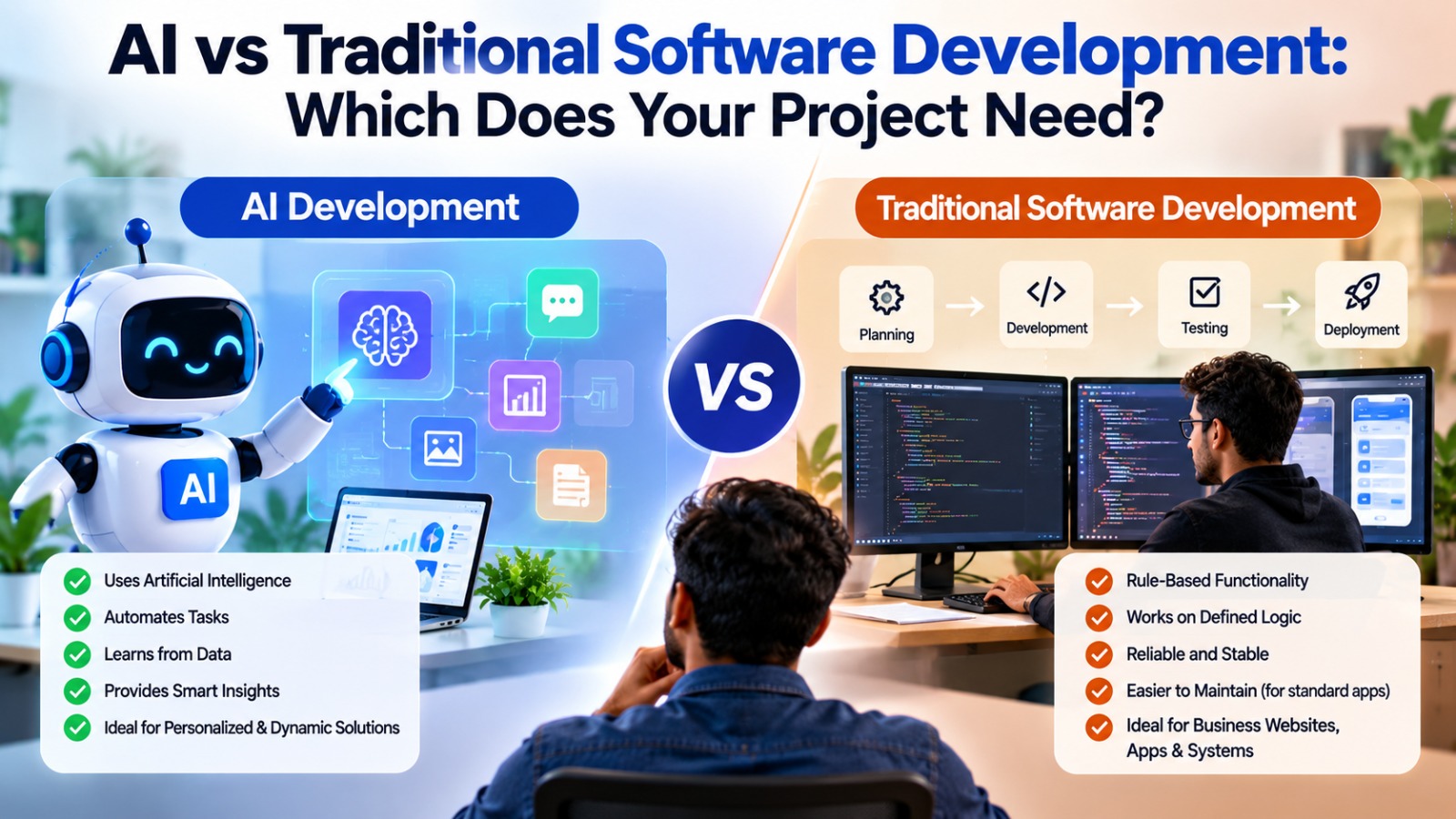
Traditional software follows rules you write. AI learns patterns from data and gives answers that are probable, not guaranteed. That difference changes how you plan, test and pay for a project. This guide helps you decide which one a problem needs.
Key takeaways
- Use traditional software when the rules are clear and the answer must always be exact.
- Use AI when the input is messy, the rules are hard to write or you need language and pattern understanding.
- Most good products combine both.
- Never use AI for something a simple rule can do reliably.
The core difference
- Traditional software: developers write explicit rules. The same input always gives the same output.
- AI software: a model finds patterns in data. The output can vary and is sometimes wrong, so it needs testing and guardrails.
When traditional software is the right choice
- Calculations, billing, invoicing and anything that must be exact.
- Workflows with clear steps and approvals.
- Security, permissions and audit trails.
- Standard business applications such as dashboards, portals and booking systems.
When AI is the right choice
- Understanding and writing natural language, as in chatbots and summaries.
- Searching large amounts of text or documents.
- Recognizing patterns, such as in images, forecasts or recommendations.
- Automating tasks that depend on judgement across messy inputs.
How they differ in cost, testing and risk
| Traditional software | AI features | |
|---|---|---|
| Output | Same every time | Can vary |
| Testing | Check against expected results | Evaluate accuracy on many examples |
| Main risk | Bugs in rules | Wrong or biased answers |
| Running cost | Hosting and maintenance | Hosting, maintenance and usage fees |
| Needs data | Not usually | Yes, quality data matters |
Examples from real projects
- Online store: the cart, payments and order records are traditional software and must be exact. Product search and recommendations can use AI.
- Property or facility management platform: bookings, tenants and billing are rule-based. An assistant that summarizes requests or drafts replies can use AI.
- Hiring portal: profiles, applications and notifications are traditional. Matching candidates to roles can use AI as a suggestion that a person confirms.
- Customer support: ticket workflows are traditional. Drafting answers from your knowledge base can use AI, with an agent checking before it is sent.
In each case the AI sits inside a dependable application and supports a person, rather than making final decisions alone.
A project example: a building management platform
Our Lobital case study is a SaaS system for property managers, concierge teams and residents. It is a useful example of where the line between traditional software and AI falls. The case study describes a community calendar, digital incident and accident logs, virtual signatures and key management. This is a thought exercise, not a description of Lobital's features, to show how the decision works.
- Key management must be exact. Who has which key and when it was handed over cannot be "probably right". This is traditional software.
- Virtual signatures and records need a reliable audit trail. Traditional software again.
- The community calendar is a straightforward feature with fixed rules.
- Incident logs are where AI could support a person: summarizing long reports, grouping similar incidents or drafting a notice for residents, with staff reviewing before anything is sent.
The principle: the records and permissions stay rule-based, and AI is added only where language or pattern work would save people time.
A project example: a hiring platform
Our Demando case study describes a tech recruitment portal with profiles, LinkedIn import, bidding, accept and reject, live chat, shortlisting and offers. Again, this is a thought exercise on how the choice works.
- Profiles, bids, messages and offers have strict rules and statuses, so they are traditional software.
- Matching candidates to roles is a place where AI could suggest options by reading profiles and job descriptions.
- Because hiring affects people's careers, the suggestions should be explained and a person should make the final decision.
The same idea applies to most products: build the dependable core first, then add AI to the one or two places where it clearly helps a person decide or write faster.
How AI changes the development process
- Requirements: besides features, you define what "good enough" accuracy means and what happens when the AI is wrong.
- Data: you gather and clean examples, which can take as much effort as the code.
- Testing: you evaluate answers against many real examples, not only a few test cases.
- Release: you start with a limited group, monitor results and widen access gradually.
- Maintenance: you keep reviewing output as your content, users and the AI services change.
A team that treats an AI feature like a normal feature, built once and forgotten, will be disappointed. Plan for a loop of measuring and improving.
How the two fit together in one product
In a real product, the AI part is usually a service that the main application calls, not a replacement for it.
- The application handles accounts, permissions, payments and records.
- When a language or pattern task comes up, it sends the relevant content to an AI service and receives a suggestion.
- A checking layer validates the suggestion, for example by confirming a product exists before recommending it.
- Anything risky goes to a person for approval.
- If the AI service is slow or unavailable, the application keeps working without it.
- Every AI request and result is logged, so you can review quality and cost.
Designing it this way means you can change the AI provider later and the core product stays stable.
How the cost shape differs
Traditional software costs most at the start: design, build and testing, followed by steady hosting and maintenance. AI features add three things to that picture:
- Data work before the build, to collect and clean the examples or content.
- Evaluation work during the build, to measure accuracy and fix weak areas.
- Usage fees after launch, which rise and fall with traffic.
This is why an AI feature should be budgeted with a monthly running cost in mind. Our guide to AI integration cost in India explains how to estimate it.
A quick decision guide
- Can you write the rules down clearly? Use traditional software.
- Must the answer be exactly right every time? Use traditional software, or keep a person in the loop.
- Is the input free text, images or messy documents? Consider AI.
- Would a wrong answer cause harm or loss? Add human review, or avoid AI for that step.
- Are you unsure? Run a small pilot before a large build.
Common myths about AI and traditional software
- "AI will write the whole application." AI tools speed up coding, but design, review, testing and security still need skilled people.
- "AI is always the modern choice." A simple rule that works every time is better than a clever model that works most of the time.
- "We need huge amounts of data." Many useful features, such as a chatbot, start from content you already have.
- "Once the AI feature is built, it is finished." It needs ongoing review, because content, users and AI services all change.
- "Traditional software is outdated." It is the dependable base that nearly every successful AI feature sits on.
Test your own idea with three examples
Take three features from your own project and sort them with the guide above. Here is how the sorting usually goes:
| Feature | Rules clear and answer exact? | Likely approach |
|---|---|---|
| Calculate an invoice total | Yes | Traditional software |
| Summarize a long customer complaint for a manager | No, it is language work | AI, with a person reading the summary |
| Suggest related products on a product page | Partly | Simple rules first, AI if you have enough behavior data |
If most of your features land in the first row, you need good traditional software. If a few land in the second, add AI to those parts only. We are happy to do this sorting with you in a free consultation.
Use both
Most successful products put AI inside a solid traditional application: the app handles accounts, payments and records, and AI handles the language or pattern parts. We build both, from web development and mobile apps to AI features, and can advise which parts of your idea need AI at all.
Frequently asked questions
Is AI software better than traditional software?
Neither is better in general. Each suits different problems. Exact, rule-based tasks suit traditional software, and language or pattern tasks suit AI.
Can AI replace my developers?
AI tools speed up development, but production software still needs people to design, review, test and secure it.
Is AI development more expensive?
It can be, because of data work, evaluation and usage fees. A small pilot keeps the risk low.
Can I add AI to existing software?
Often yes, through APIs, without rebuilding the whole system.
How do I know if my idea needs AI?
If a clear set of rules can solve it reliably, you probably do not need AI. If the input is messy or open-ended, AI may help. We can assess this in a free consultation.